Windows PC? What Windows PC?
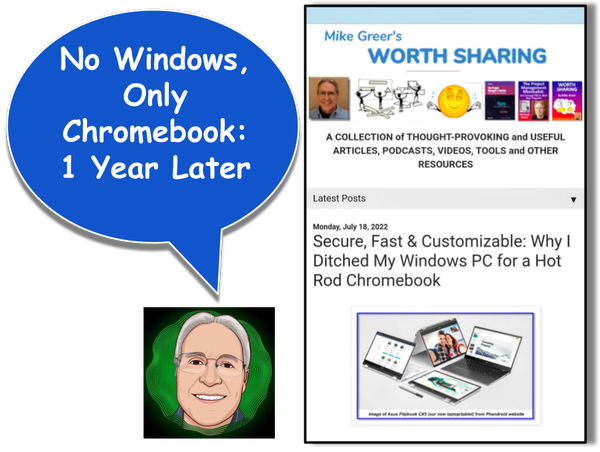
It's been a full year since we've used our Windows PC. Since then we've been all Chromebook, all the time! I use it for research and content creation, my wife uses it for online purchases and financial management and we both occasionally use it for social media, browsing, etc. Last year I documented the research and reasoning behind this decision to switch and the specific Asus Chromebook we bought. (See Secure, Fast & Customizable: Why I Ditched My Windows PC for a Hot Rod Chromebook.)
Living with Our Chromebook
So what's life been like without a Windows PC? In a nutshell, it's been great! Here's a summary of benefits and a single challenge.
The Benefits
- It's just more peaceful! There are no more breathless notifications from the tech press or emailed warnings about a potential hack of the OS such as we had been vigilantly tracking when we were beleaguered citizens in the world of Windows.
- Frequent, automatic updates of the ChromeOS pushed by Google which bring up-to-the-minute security protection and a regular stream of new features which are always fun to investigate.
- Ability to seamlessly use our Android apps and have app data instantly updated across all our devices (phones and tablets).
For example when I have ideas about a new article, I can speak them to my Google smart home speaker and it will add it to my Google Keep "Ideas List." Later, if I'm on the go, I can flesh out the idea by dictating directly into Keep using the mic on my phone's Gboard. When I get home I can kick back on my recliner and use my Samsung tablet to research and further expand the outline/draft in Keep. When it's time to pull in images that will be part of the article and prep them using Google's online Drawing tool, I simply fire up the Chromebook and use its large screen and mouse to work with them. Eventually, when the article is close to completion, I pour everything I've assembled in Keep (and sometimes drafted using Google Docs) into my Google Blogger website, add any graphics I've built then finalize the post using my tablet and my Chromebook. And throughout this process, while I'm using any of these devices, I can see and handle incoming texts/voicemails from Google Voice and emails from my Gmail. In short, my Chromebook is seamlessly integrated into my Android-based workflow!
 |
| My Document Work Flow: from Phone to Tablet to Chromebook & Back |
- Super fast performance ... Did I mention it's fast.. really fast?! No lags or waits for hunks of software to load. In fact, sometimes I feel like it's challenging me to keep up!
- Very simple sharing of our Chromebook between two separate, independently secure user accounts. In the morning we both just sign in and we each take turns throughout the day jumping into our own unique, customized desktop and workspace as needed. It feels like we have two separate machines.
- There's none of that lead weight feeling when I switch to using my computer from using my tablet or phone. In the past my fast tablet and phone apps would help me breeze along doing all sorts of different chores, including making notes and drafting publications. But when I fired up my Windows PC to finalize a document or assemble a bunch of elements into a single graphic, it felt as though I were trying to walk with lead weights on my feet. Everything slowed down and I had to wait for security updates, apps and other stuff to load. It simply took the swiftness, efficiency and spontaneity out of whatever I was doing. Now that particular computer speed bump is gone! My creation process is seamless from brainstorming through finalization.
A Single, Easily-Overcome Challenge
After many years of using TurboTax we had developed the habit of buying the disc, installing it on our Windows PC, updating it with state and local files and then using it to prepare our taxes. But this year that was not possible, since the disc-based version is only available for Windows and Mac machines. Chromebook users must use the online version of TurboTax. While this online version had always been an option, we have been hesitant to use it for security reasons. In fact, we have always made sure our Windows PC was completely offline while we are working on our taxes.
So this year we had to remind ourselves that most experts regard the Chromebook, with its frequent security updates, as a far safer online machine than either Windows or Mac PCs. And we also reminded ourselves that millions of people are already using TurboTax's online option so their extra stringent security measures are essential to their existence as a business. The bottom line: We took the plunge, set up the account and were pleasantly surprised to find the online TurboTax user interface was pretty much the same as the disc-based version. We filed our taxes quickly and without any glitches!
The Moral of the Story
In sum, our first year with our new Chromebook has proven to be quite painless and has even held a few pleasant surprises. In particular, the Android/Chrome OS interoperability among devices is super convenient. So if you're a Windows user, like we were, I don't think you should hesitate to take the leap to a Chromebook when it's time for that new computer.
Just ask yourself this question: Do I really have any programs or chores that I can only run on a Windows PC or Mac, as opposed to using online or with a Chromebook? If you have none, then let that old PC or Mac go and get yourself a speedy and secure Chromebook! But do take your time to shop around and get a machine that has the horsepower to meet your needs and the lifespan to receive security updates for the many years that you will probably be enjoying it.
For a deep dive into the technical issues and shopping considerations for Chromebook buyers, see my article Secure, Fast & Customizable: Why I Ditched My Windows PC for a Hot Rod Chromebook.
_____________________________________
But don't simply take my word for it! See:
- Why a Chromebook Is Probably All You Need (from CNET)
- 5 reasons why Chromebooks are the perfect laptop for most people (from ZDNET)
_____________________________________
Related Articles from this Website
- Secure, Fast & Customizable: Why I Ditched My Windows PC for a Hot Rod Chromebook
- Quick-Reference PDF: A Dozen Free Google Apps to Keep Your Family or Team Organized
- A Dozen Free Google Apps to Keep Your Family or Team Organized [Part 1 of 2]
- A Dozen Free Google Apps to Keep Your Family or Team Organized [Part 2 of 2]
- Why I Use Google Photos, not Facebook, to Share Photos